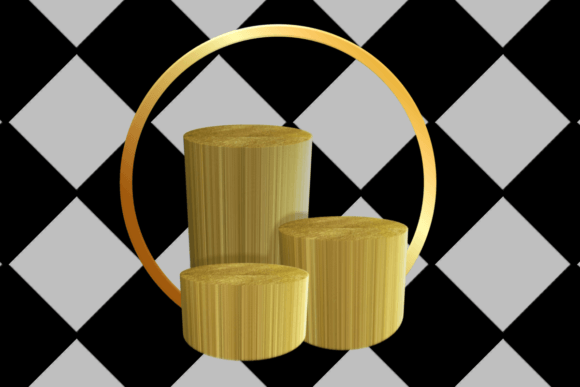
3D Podium Illustration for Eye-Catching Product Flyers
When it comes to showcasing your products in the most appealing way, visual presentation plays a crucial role. One of the most effective tools in modern design is 3D Podium Illustration. This technique allows you to create lifelike product visuals that elevate the quality and impact of your flyers, brochures, or marketing materials. Whether you're launching a new item, promoting a service, or building brand awareness, 3D Podium Illustrations can help you stand out from the competition and capture attention with stunning clarity.
What Is 3D Podium Illustration?
In simple terms, a 3D Podium Illustration is a digital rendering of a product placed on a virtual platform—often resembling a physical display podium. It's designed to show the product from multiple angles while keeping it centered and prominent. These illustrations are created using 3D modeling software, lighting effects, textures, and realistic backgrounds to simulate how the product might look in real life or within its intended environment.
The main goal of this illustration style is to present the product as professionally and attractively as possible. Unlike flat images or basic photos, 3D Podium Illustrations allow for complete control over the scene: you can change colors, add branding elements, adjust lighting, or even place the product in different settings without needing a physical prototype.
Key Features of 3D Podium Illustration
- Realistic Visuals: High-quality textures and lighting give the product a natural appearance.
- Customization: Easily tweak the background, shadows, reflections, and more to match your flyer’s theme.
- Angle Flexibility: Show off your product from all sides with seamless transitions between views.
- Cost-Effective: Eliminate the need for expensive photo shoots or physical models.
- Scalable: Use the same illustration across various print and digital formats without losing detail.
Why Use 3D Podium Illustration in Product Flyer Design?
Product flyers are often the first point of contact between your business and potential customers. If they don’t grab attention quickly, your message might get lost. That’s where 3D Podium Illustrations come into play. They offer a clean, professional way to highlight your product’s features and benefits, making your flyer more engaging and memorable.
Here’s why they’re becoming a go-to choice for designers and marketers:
- Enhanced Visual Appeal: The realistic, three-dimensional presentation makes products pop and feel tangible.
- Better Storytelling: You can position your product in context—like showing a phone in a home office setting—to tell a story about its use.
- Consistency Across Campaigns: Use the same 3D model in different formats, ensuring your branding stays uniform.
- Time Efficiency: Edit and update designs digitally without re-shoots or physical adjustments.
Who Benefits from Using 3D Podium Illustrations?
Anyone involved in product promotion can benefit from this approach. Small business owners, especially those in e-commerce or retail, can showcase their items with a level of professionalism that was once reserved for big brands. Marketers and advertisers love the flexibility to test different visual styles before finalizing a campaign. Educators and freelancers may use these illustrations to demonstrate design concepts or create compelling portfolios. Even bloggers and content creators can integrate them into tutorials or reviews to enhance credibility and visual interest.
Practical Applications in Flyer Design
Let’s explore some common scenarios where 3D Podium Illustrations make a difference in flyer design:
1. Launching New Products
Imagine introducing a new line of kitchen gadgets. Instead of relying on stock photos or blurry shots, a 3D Podium Illustration lets you place each item on a sleek countertop, surrounded by relevant props like ingredients or recipe cards. This setup not only highlights the product but also gives viewers an idea of how it fits into their daily lives.
2. Promoting Services
If you run a graphic design agency or a digital marketing firm, using 3D Podium Illustrations in your flyers can visually represent what you do. For example, you could render a tablet displaying a website mockup, subtly reinforcing your expertise in web design and user experience.
3. Enhancing Brand Identity
Branding is key in flyer design. A well-crafted 3D illustration can include subtle brand elements—like logos, color schemes, or fonts—without overwhelming the viewer. This helps reinforce your identity while maintaining a clean and focused layout.
4. Educational and Training Materials
Teachers and trainers can use 3D Podium Illustrations to explain product functionality in an engaging way. For instance, when teaching students about electronics, placing a 3D-rendered device on a podium with labels pointing to specific parts can be far more effective than static diagrams.
Getting Started with 3D Podium Illustrations
If you’re new to this concept, you might wonder if creating 3D Podium Illustrations requires advanced skills. While there are powerful tools like Blender, SketchUp, or 3ds Max used by professionals, many platforms now offer beginner-friendly options. Some services provide pre-made templates or AI-assisted tools that let you upload a product image and automatically generate a 3D-style illustration.
For small businesses or solo creators, outsourcing to a skilled 3D artist can be a great option. You’ll still have creative control, and the results will look polished and professional. Once you have the illustration, integrating it into your flyer design becomes much easier. You can rotate the view, zoom in on details, or layer additional text and graphics around it to guide the reader’s eye and communicate your message effectively.
Things to Consider Before Jumping In
Before choosing to work with 3D Podium Illustrations, consider the following:
- Quality Over Quantity: A poorly rendered illustration can hurt your flyer’s effectiveness. Always aim for high-resolution and accurate representation.
- Relevance to Audience: Make sure the illustration matches the tone and expectations of your target market. A luxury item should be presented differently than a budget-friendly one.
- File Formats and Compatibility: Ensure the final illustration is saved in a format suitable for both print and online use, such as PNG, JPEG, or PDF.
- Timeframe: Creating custom 3D illustrations takes time. Plan accordingly to meet your project deadlines.
- Budget: While cost-effective in the long run, initial investment may vary depending on complexity and whether you choose to build in-house or outsource.
Examples of Realistic Use Cases
Let’s look at some concrete examples to see how 3D Podium Illustrations can transform product flyers:
Example 1: Tech Accessories
A company selling smartphone cases uses 3D Podium Illustrations to show their product in various colors and styles. Each case is displayed on a minimalist white background, rotated slightly to emphasize design, and accompanied by lifestyle imagery like a person using the phone in a café. This gives the flyer a modern, tech-savvy look that appeals to young adults.
Example 2: Home Decor
A boutique offering handmade lamps uses 3D illustrations to show their products in different room setups. One version places the lamp in a cozy living room with warm lighting; another shows it in a minimalist bedroom. These variations allow the audience to imagine how the product would fit into their own spaces.
Example 3: Fashion Footwear
An independent shoe brand creates a flyer featuring a 3D Podium Illustration of their latest sneaker design. The illustration includes dynamic shadows and reflections to add depth, along with a short description and pricing info. The result is a clean, bold flyer that feels like a catalog page rather than a generic ad.
How to Integrate 3D Podium Illustrations into Your Workflow
Once you’ve decided to use 3D Podium Illustrations for your flyers, here are a few tips to ensure smooth integration:
- Plan the Layout: Decide which angles of the product are most important and where to place supporting text.
- Keep It Simple: Avoid cluttering the illustration with too many background elements. Focus on the product and its surroundings.
- Use Lighting Strategically: Highlight key features by adjusting light sources to create depth and contrast.
- Test Different Styles: Try variations of the illustration—some with minimalism, others with more lifestyle elements—to see what resonates best with your audience.
- Optimize for Print and Digital: Ensure the file resolution is high enough for printing and that the colors remain consistent across mediums.
Final Thoughts on Elevating Your Design Game
Using 3D Podium Illustrations in your product flyers isn't just about looking good—it's about communicating value clearly and confidently. With the right tools and planning, you can create visuals that reflect the quality of your offerings and engage your audience in a meaningful way. As technology continues to evolve, these illustrations become more accessible and versatile, opening up new opportunities for everyone from startups to seasoned designers.
Whether you're designing for a trade show, a direct-mail campaign, or social media ads, consider how 3D Podium Illustrations can bring your ideas to life. Their ability to blend realism with creativity makes them a powerful asset in any marketer’s toolkit.